
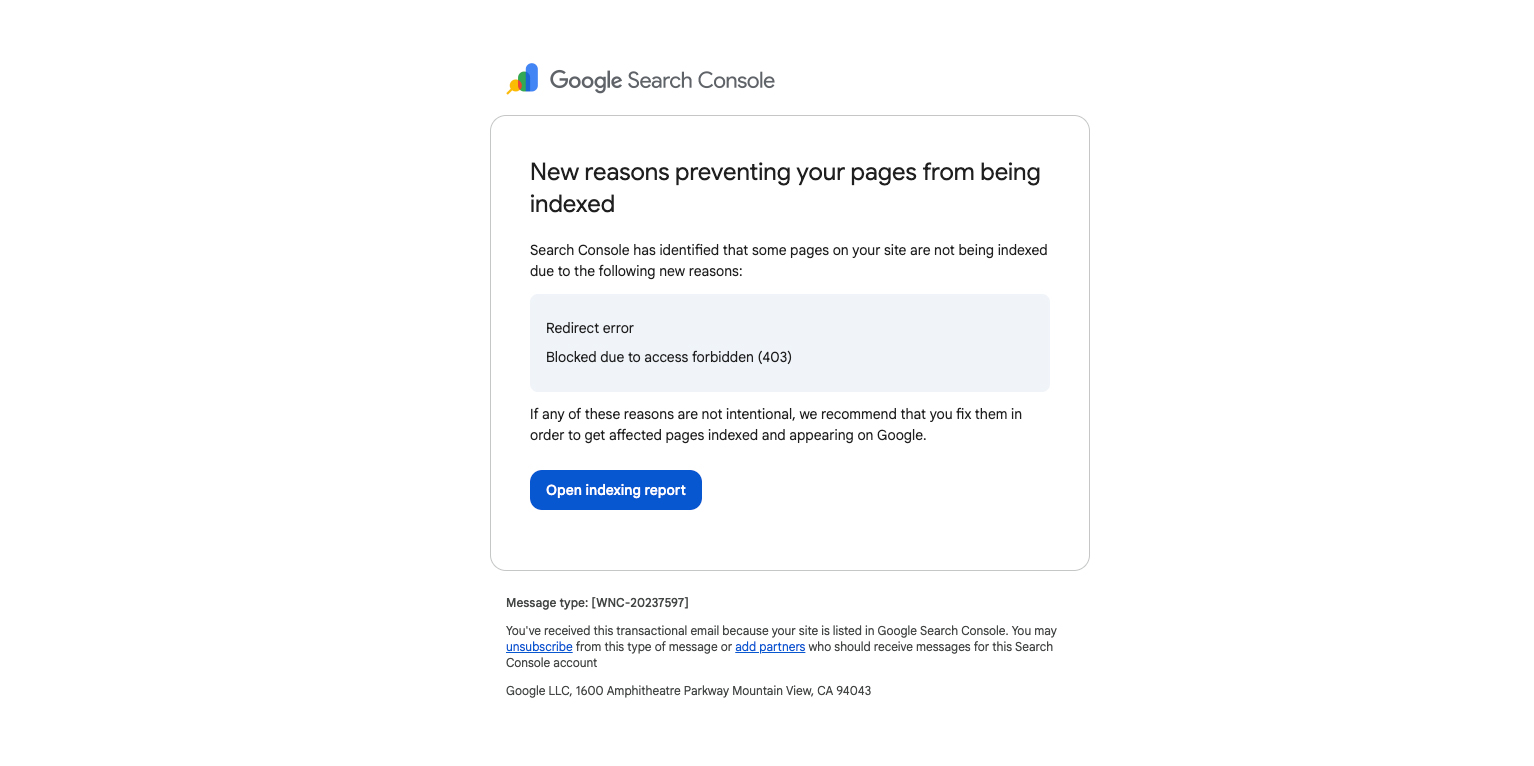
“New reasons prevent pages from being indexed” in Google Search Console (What It Means)
Google Search Console sometimes emails site owners with the subject line “New reasons prevent pages from being indexed.” If you open the report and see a spike in Excluded URLs, it can look like something is broken.
Often, it isn’t. Many of these “reasons” are normal outcomes—Google found your URLs, crawled what it could, and then followed standard rules like canonicals, noindex tags, redirects, and 404s.
Important: A high number of excluded URLs is not a penalty by itself. It becomes a problem when Google can’t crawl or index the pages you actually care about (service pages, product pages, location pages, etc.).
Why you’re getting this email
This alert commonly shows up after:
- Launching a new website
- Changing permalink structure
- Migrating domains (http → https, www → non-www, etc.)
- Updating categories/tags/filters (new archive URLs get generated)
- Publishing lots of new content
- Adding or removing a sitemap
Crawling vs. indexing (quick definition)
- Crawling: Googlebot can fetch the URL.
- Indexing: Google chooses to store the page and make it eligible to appear in search.
A page can be crawlable and still not indexed. That’s normal, especially for duplicates, thin pages, or pages you’ve told Google not to index.
Which issues matter most?
Before fixing anything, ask:
- Should this URL exist? If not, a 404 or redirect might be fine.
- Should this URL be indexed? If not, “Excluded” can be healthy.
- Is it isolated or sitewide? One bad URL is minor; thousands can be serious.
- Is it in your sitemap? If it’s in your sitemap, Google assumes you want it indexed.
Common Google Search Console “Page indexing” statuses (and what to do)
Alternate page with proper canonical tag
Meaning: Google found the URL, but it correctly points to a different canonical.
What to do: Usually nothing. Make sure your sitemap and internal links point to the canonical URL.
Blocked by access forbidden (403)
Meaning: Your server is refusing access to Googlebot.
What to do: If it should be public, fix firewall/WAF/security rules and retest in URL Inspection. If it should be private, remove it from your sitemap and avoid public links.
Blocked due to other 4xx issue
Meaning: Google got a 4xx status like 410 (Gone) or 429 (Too Many Requests).
What to do: 410 is fine for removed pages. 429 means Googlebot is being rate-limited—adjust limits/caching/server performance.
Crawled – currently not indexed
Meaning: Google crawled the page and decided not to index it (yet).
What to do: Improve uniqueness/value, strengthen internal linking, check for duplication and “soft 404” patterns, then request indexing after meaningful changes.
Discovered – currently not indexed
Meaning: Google knows the URL exists but hasn’t crawled it.
What to do: Make sure it’s worth indexing, improve internal links, reduce “URL clutter” (filters/parameters), and ensure the server is stable.
Duplicate, Google chose different canonical than user
Meaning: You set a canonical, but Google picked a different one due to conflicting signals.
What to do: Standardize URL format, use self-referential canonicals on preferred pages, align internal links and sitemap with the preferred URLs.
Duplicate without user-selected canonical
Meaning: Google sees duplicates and didn’t find a clear canonical preference.
What to do: Add canonical tags and/or 301 redirect duplicates to the preferred URL.
Excluded by ‘noindex’ tag
Meaning: A meta robots tag or X-Robots-Tag header says “don’t index.”
What to do: If that’s intentional, leave it. If it should be indexed, remove noindex and confirm it’s not blocked elsewhere.
Indexed, though blocked by robots.txt
Meaning: It’s indexed, but Google can’t crawl it now due to robots.txt.
What to do: If you want it indexed and updated, allow crawling. If you want it removed, don’t rely on robots.txt—use 404/410, a redirect, or allow crawl + noindex.
Not found (404)
Meaning: The page doesn’t exist.
What to do: If it moved, 301 redirect it. If it’s truly gone, remove it from the sitemap and clean up internal links.
Page indexed without content
Meaning: Google indexed the URL but couldn’t reliably see the main content.
What to do: Use URL Inspection “Test live URL,” check rendering/JS issues, and ensure critical resources aren’t blocked.
Page with redirect
Meaning: The URL redirects to another URL (the destination is the one that should be indexed).
What to do: Update internal links and sitemap to point to the final URL. Remove redirect chains.
Redirect error
Meaning: Google couldn’t follow the redirect (loop, chain too long, broken destination).
What to do: Fix loops and chains, confirm the final URL returns 200 OK, then retest.
Server error (5xx)
Meaning: The server failed (500/502/503/504).
What to do: Treat as urgent if it hits important pages. Investigate logs/uptime, fix crashes, improve performance/caching, and use 503 + Retry-After for planned maintenance.
Submitted URL blocked by robots.txt
Meaning: You submitted it (usually via sitemap) but robots.txt blocks crawling.
What to do: If you want it indexed, remove the block. If you don’t, remove it from the sitemap.
Submitted URL marked ‘noindex’
Meaning: The URL is in your sitemap but also set to noindex.
What to do: Remove noindex (if it should rank) or remove it from the sitemap (if it shouldn’t).
URL blocked by robots.txt / URL marked ‘noindex’
Meaning: Google is being told “don’t crawl” and/or “don’t index.”
What to do: Decide whether that URL type should be searchable, then make signals consistent (and don’t submit blocked/noindexed URLs in your sitemap).
Submitted URL seems to be a Soft 404
Meaning: The page loads, but looks like “not found” to Google.
What to do: Return a real 404/410 if it’s truly gone, or add meaningful content if it should exist (especially common with empty archives and unavailable products).
Submitted URL returns unauthorized request (401)
Meaning: Login is required.
What to do: If it should be public, remove authentication. If it should be private, remove it from your sitemap and avoid public links.
What to do first (simple workflow)
- Pick one example URL that should rank (a key service/product/location page).
- Run it through URL Inspection to see what Google can crawl and whether indexing is allowed.
- Clean your sitemap so it includes only canonical, indexable 200-status URLs.
- Prioritize true blockers: 5xx errors, redirect errors, accidental noindex, and important pages blocked by robots.txt.
Need help interpreting your Search Console report?
If you’re not sure which “Excluded” statuses are normal and which ones are hurting your key pages, Local Robot can help you sort it quickly and fix what matters—sitemaps, canonicals, redirects, robots rules, and indexing directives.
Want a technical SEO sanity check? Contact Local Robot for a Search Console review and a clear action plan.
