
Project
Events in Providence
Platforms
iPhone & iPad · iOS / iPadOS 17+
Deliverables
Native app design & development, bilingual interface, WordPress API, maps & navigation, planning tools, character animation, Messages stickers
Industry
Community · Local discovery
A bilingual city guide that takes people from finding something to do to getting there.
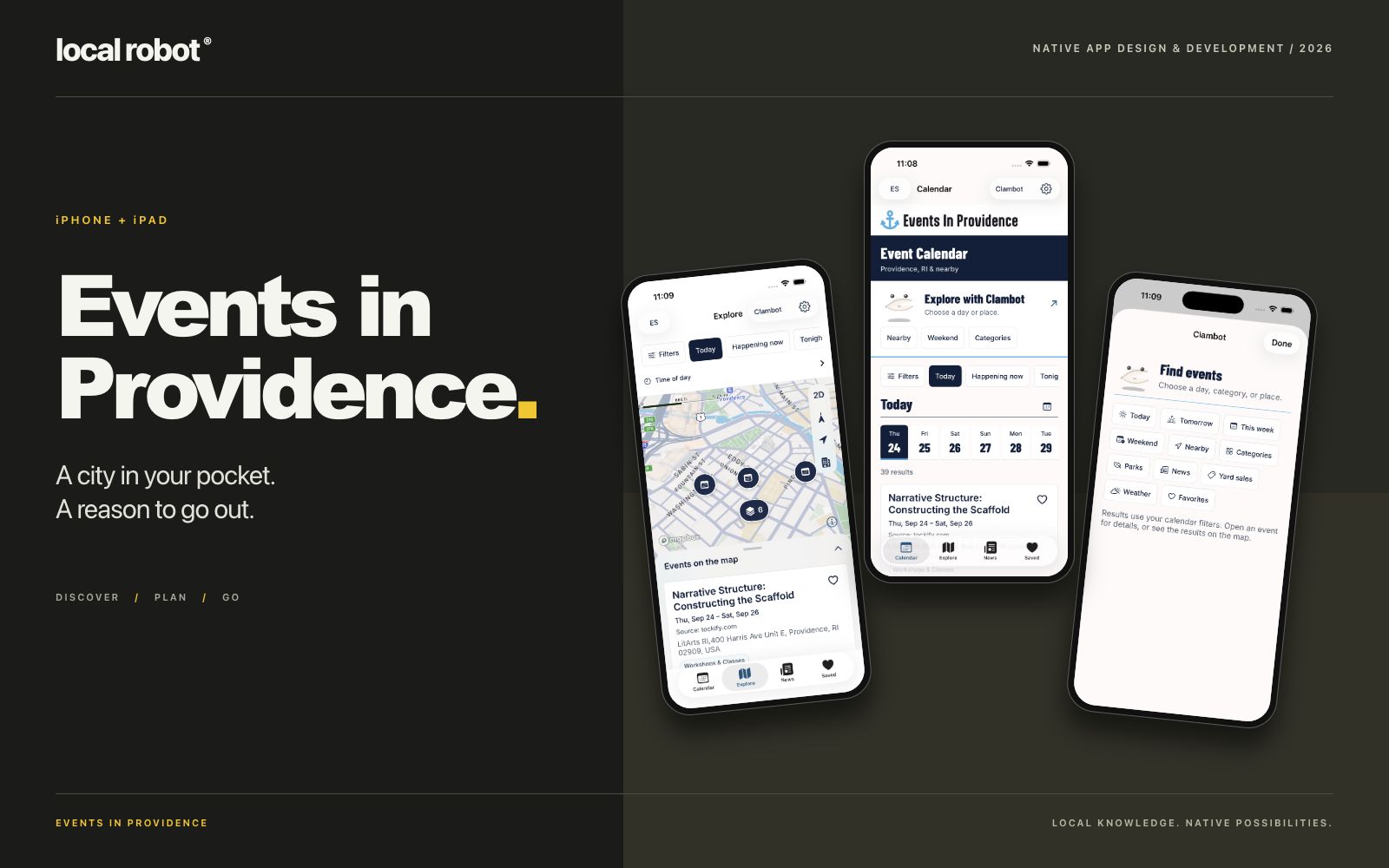
Local Robot brought Events in Providence to iPhone and iPad with a native app for local events, news and yard sales. The experience connects a searchable calendar, an interactive city map and practical planning tools, with English and Spanish available throughout.
The app extends the existing Events in Providence website into the moments when a local guide is most useful: deciding what to do tonight, finding something nearby, saving a weekend plan or getting directions on the way out. Its animated Clambot character brings the website’s personality into a focused, approachable mobile interface.
One city, several ways to discover it
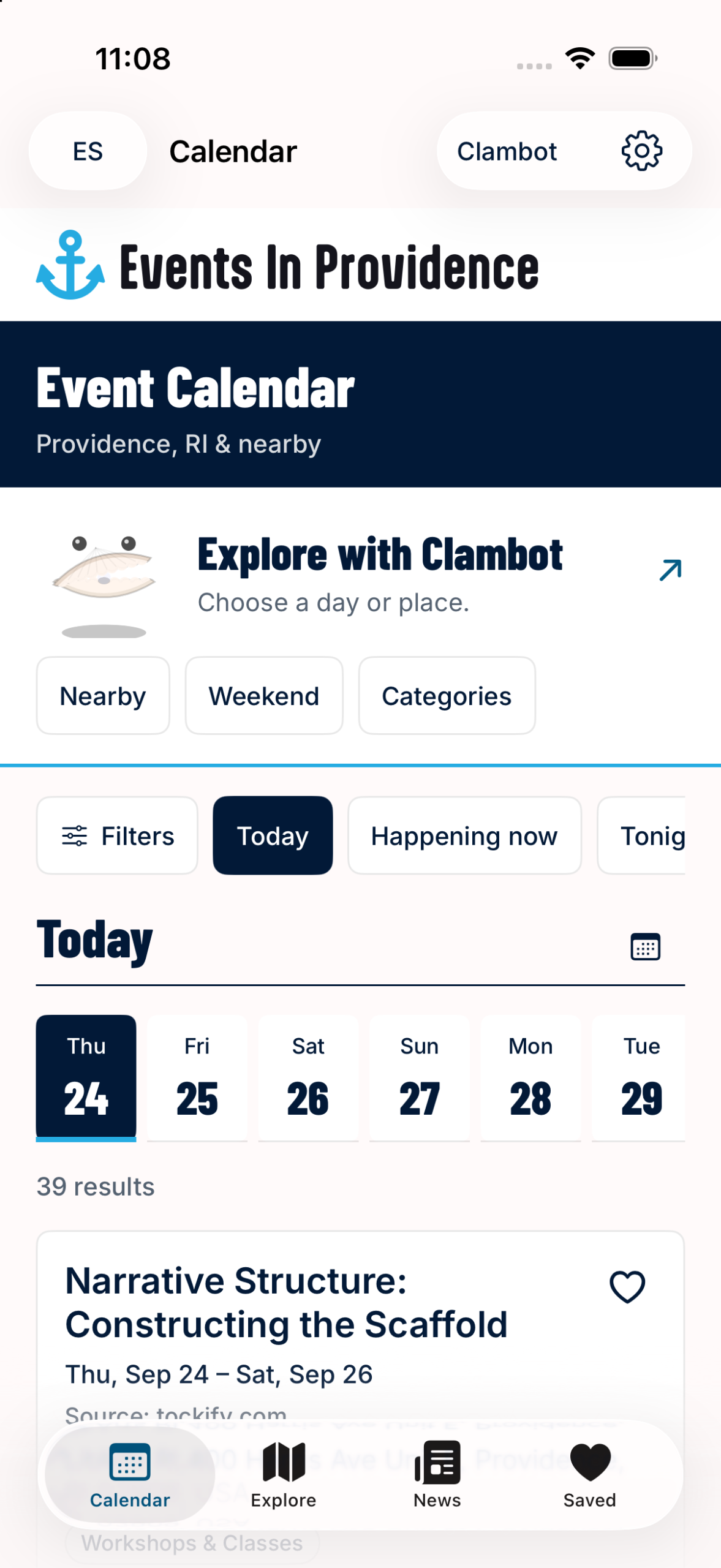
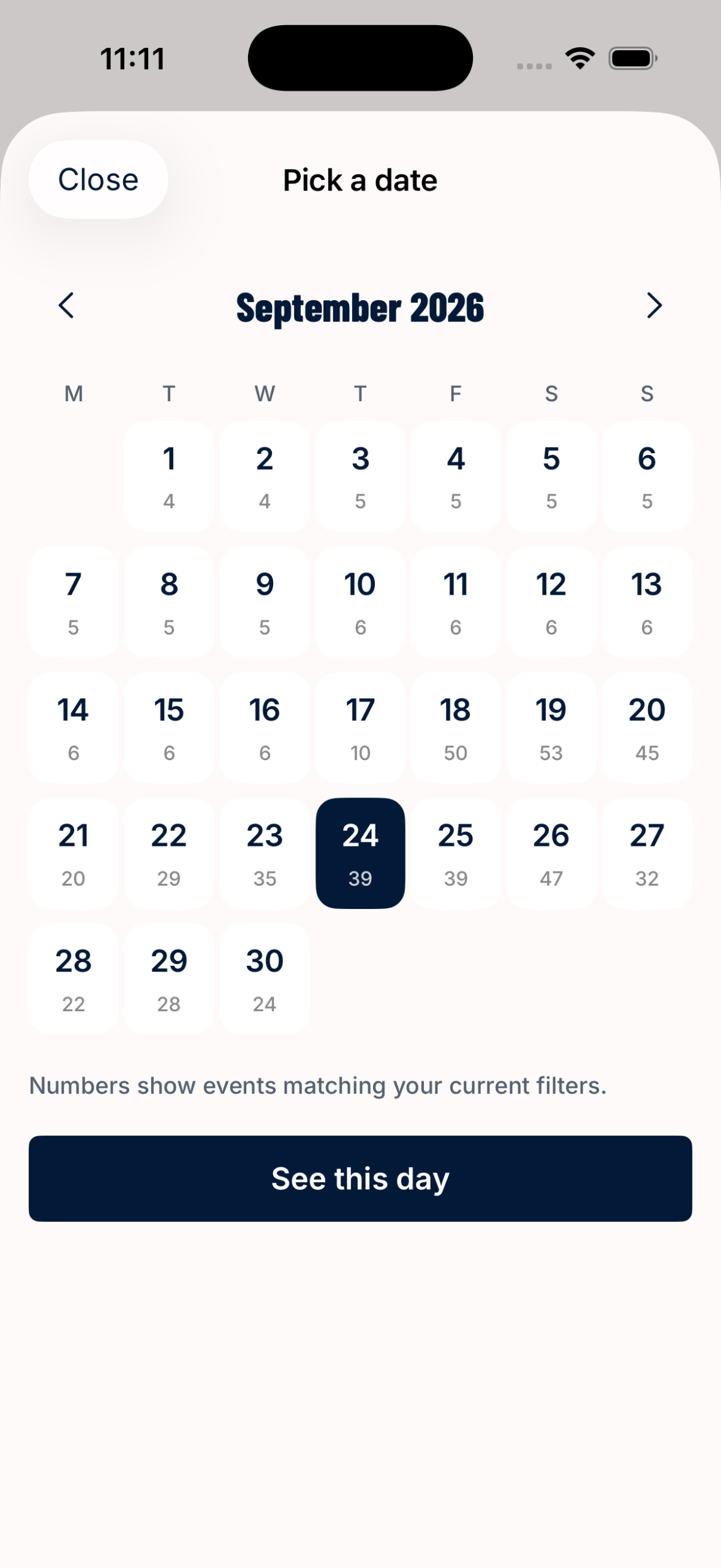
The Calendar makes a broad community listing useful at a glance. A date strip supports quick browsing, while a month view shows matching-event counts. People can choose Today, Tomorrow, This Week, Weekend, This Month, This Year, custom dates, Happening Now or Tonight. Start-time windows support more specific plans, including evenings that extend into the following morning.
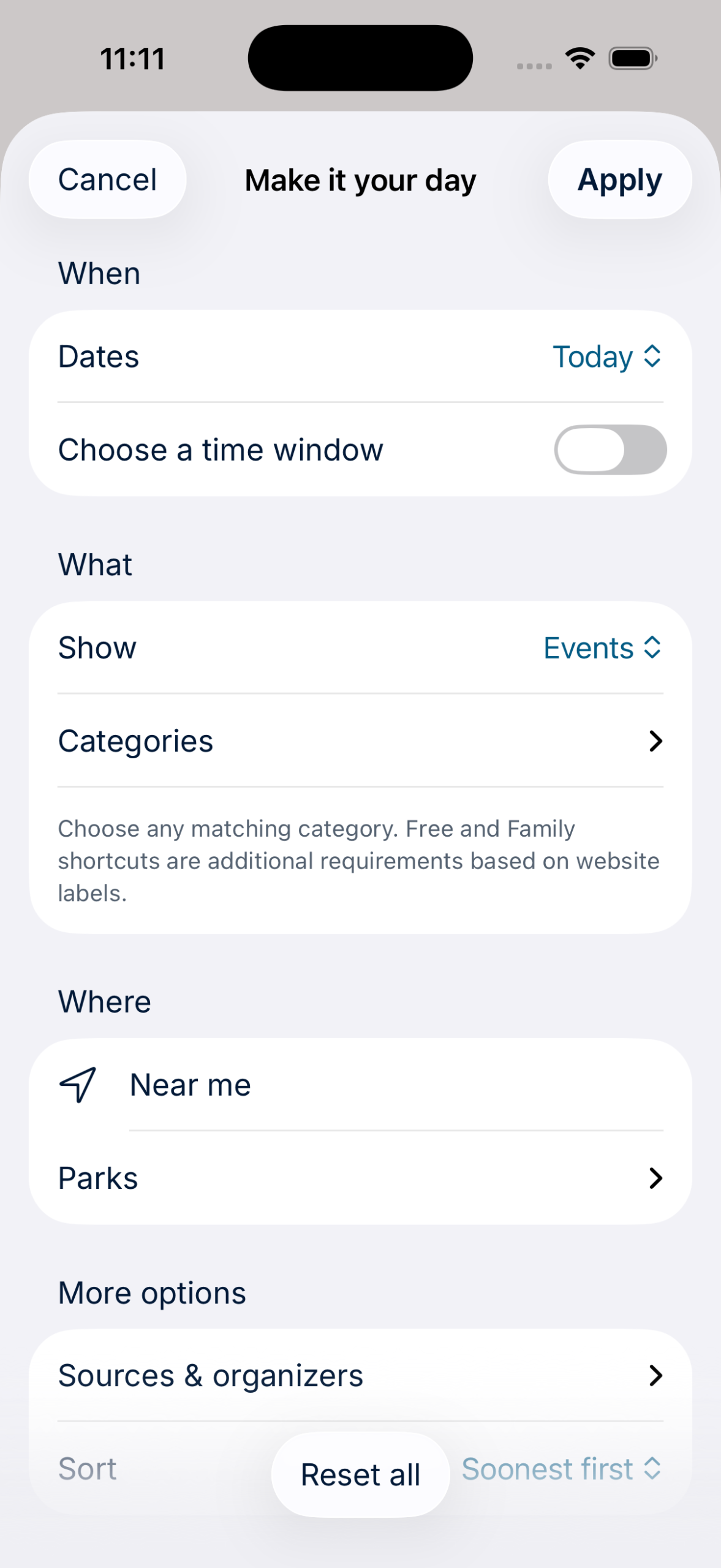
Search works across English and Spanish titles, including accent-insensitive matching. Filters combine event categories, parks, sources and organizers with events, yard sales or both. Free and Family shortcuts add requirements based on the website’s labels. Nearby discovery supports several distances, displayed in miles or kilometers, with results ordered by date or distance. Earlier events and listings spanning several dates receive their own clear groupings.
These choices carry across the Calendar, Explore map and Clambot. Moving between views keeps the same plan in focus.
Explore Providence on the map
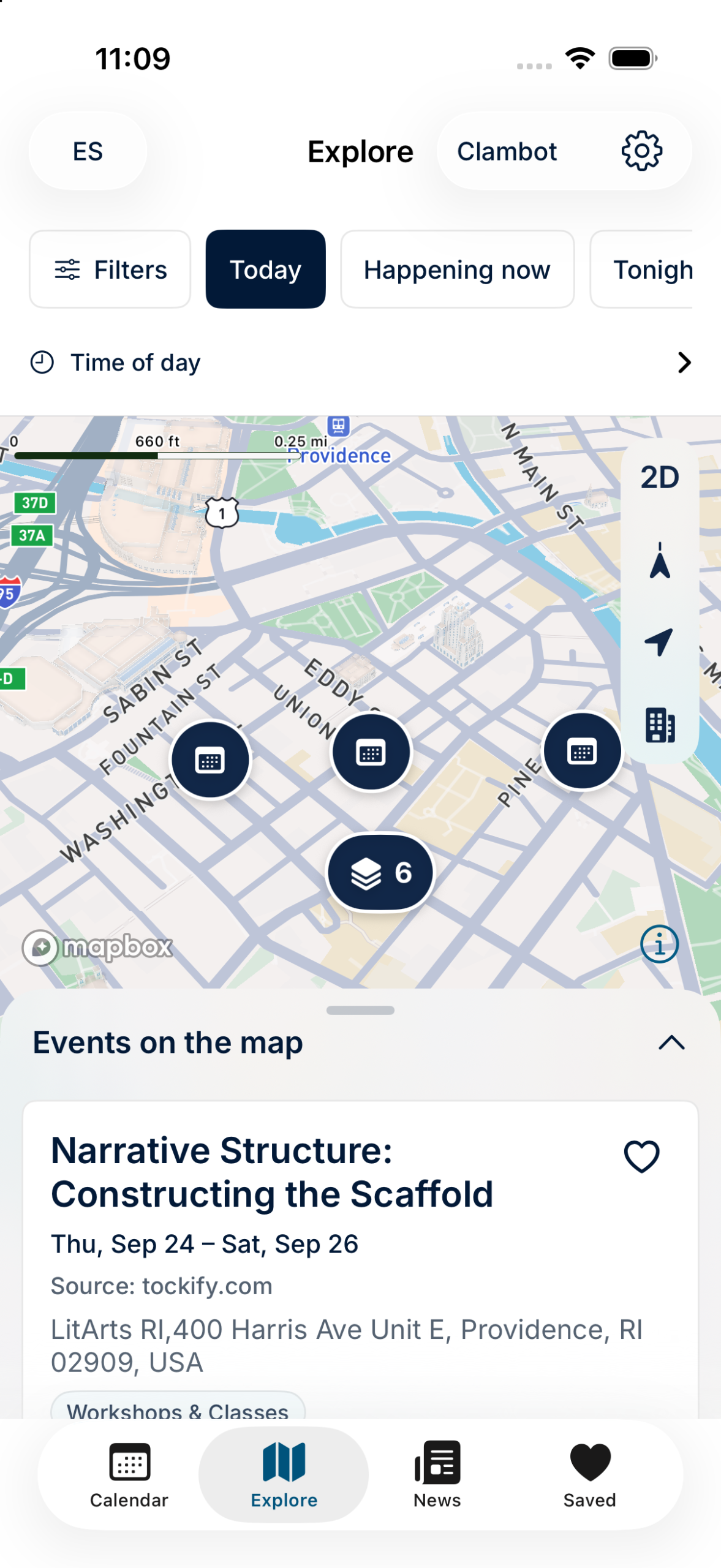
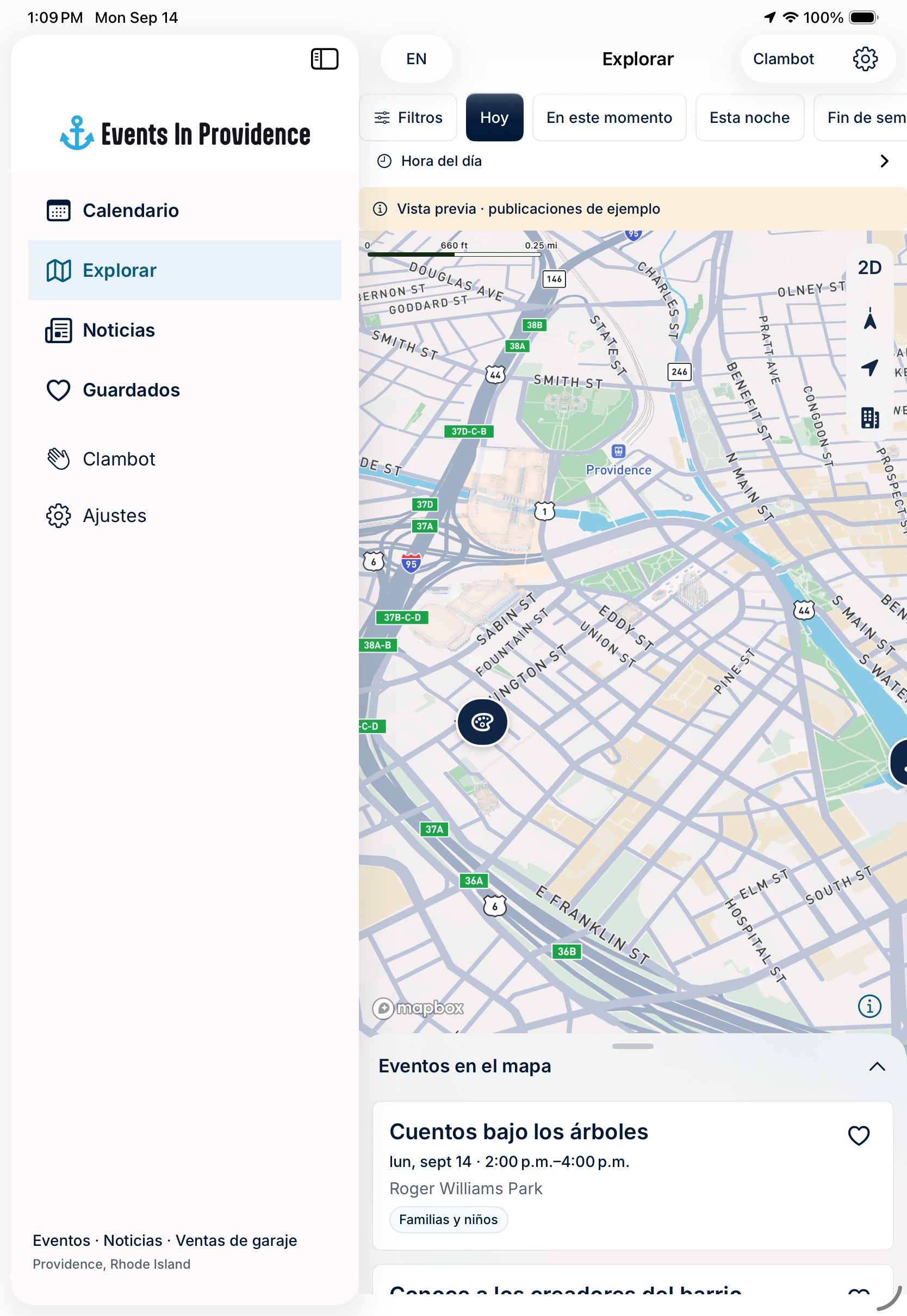
Mapbox powers a street map with available 3D buildings, 2D and 3D controls, venue markers and geographic clusters. Counts represent matching occurrences, and tapping a venue reveals its events. People can search around a point, use their location or explore the visible map area.
An equivalent results list provides another way to browse. On iPhone, it lives in a draggable sheet above the map. On a wider iPad layout, the map and results sit side by side.
Turn a discovery into a plan
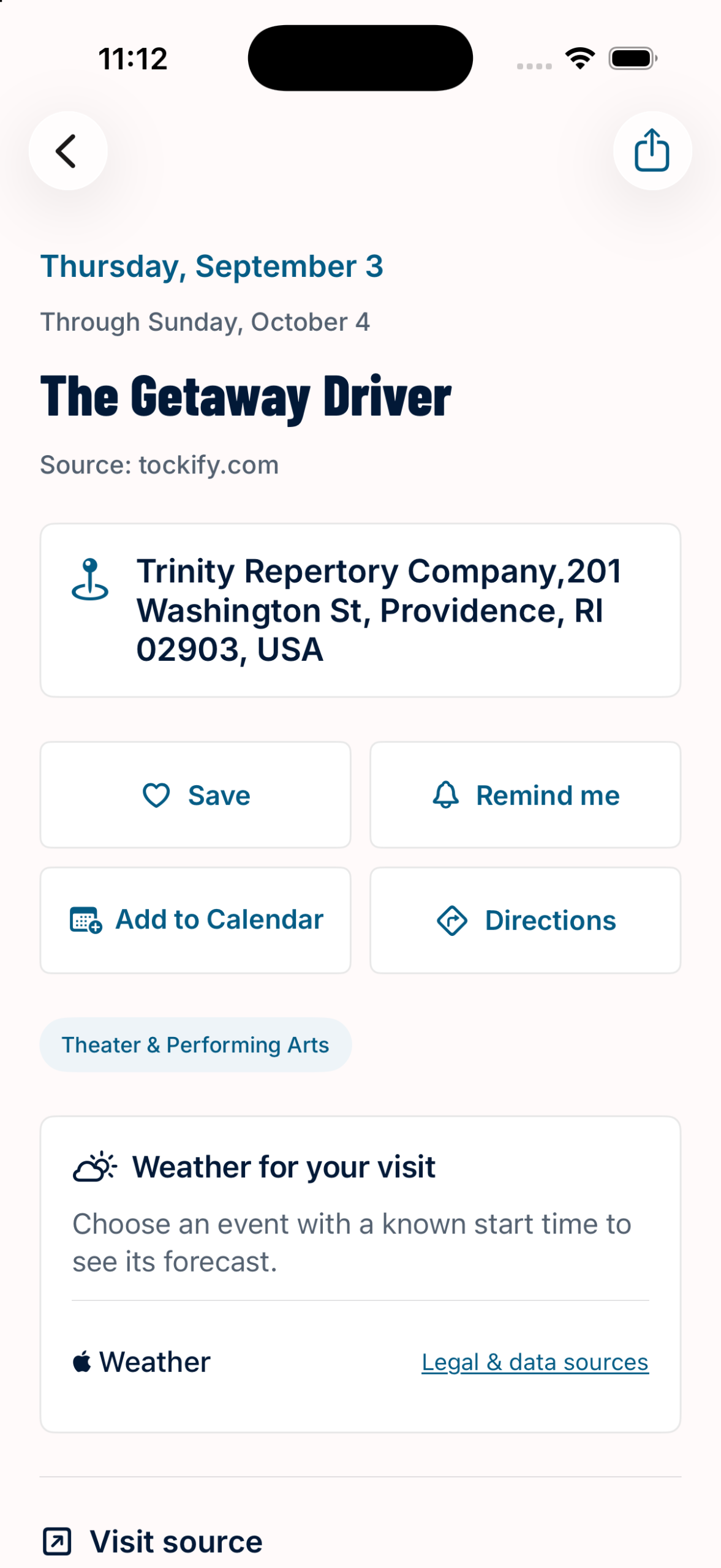
Event actions bring together schedules, venues, addresses, status updates, ticket and registration links, sharing, saving and issue reporting. Reviewed community submissions can include native descriptions and artwork. Other listings link to their original publishers while retaining the factual information needed to plan a visit.
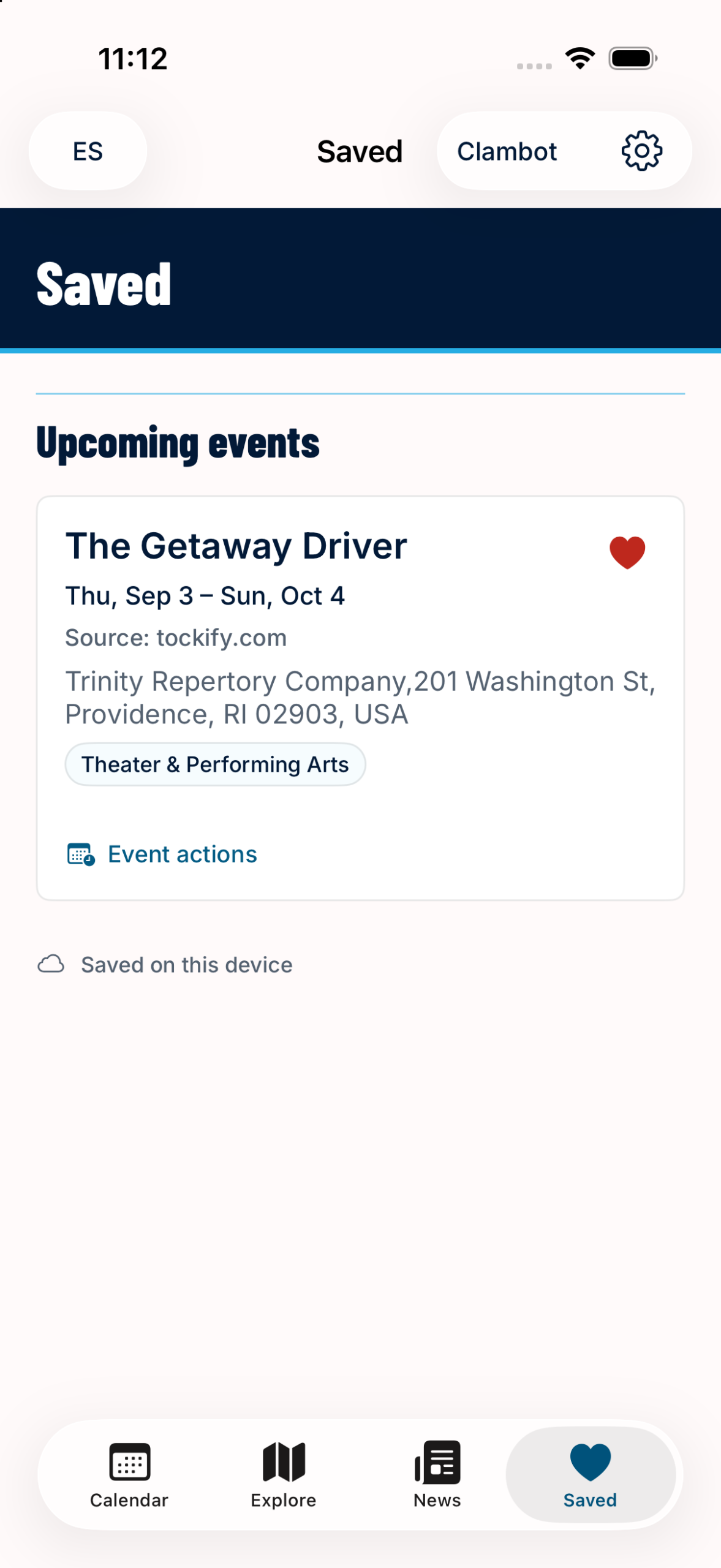
Favorites save immediately on the device, including offline, and can sync through a private iCloud database when available. The Saved view separates upcoming events, saved news and past or unavailable listings, with bilingual title search. No separate Events in Providence account is required.
Local reminders can fire at the start, 15 minutes before, an hour before, a day before or at a chosen time. Apple Calendar export opens the native editor so people can review the event before saving. Incomplete schedules are called out rather than silently presented as certain. Exported calendar entries remain independent copies; reminder changes are checked when the app refreshes.
Apple Weather adds current conditions and forecasts for an event’s time and location when that forecast is available. Temperature and precipitation information help people make the final call before heading out.
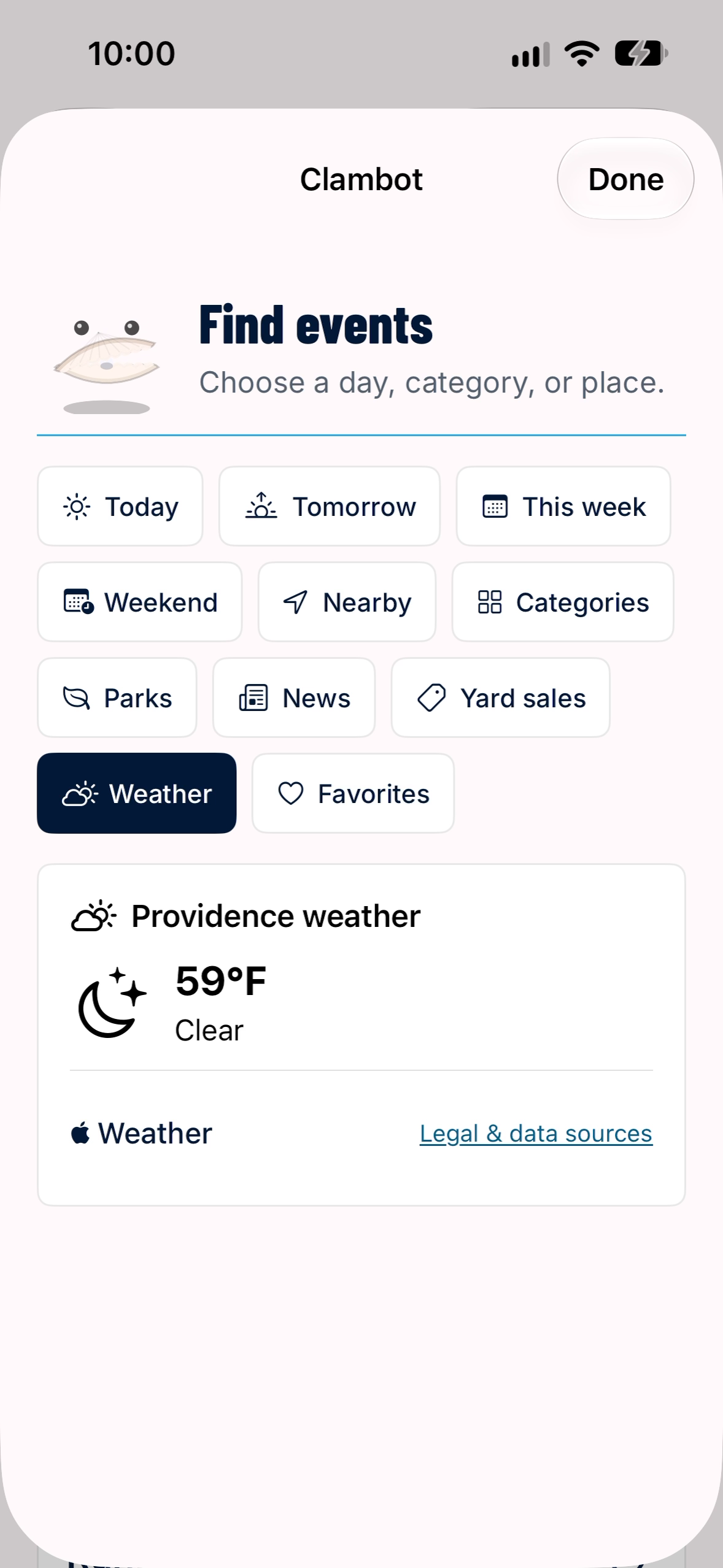
Directions that continue beyond the screen
Walking, driving and cycling route previews include alternatives and a choice of current location or a manually searched starting point. Previewing a route from a typed address works without granting location access.
When someone chooses Start, the app validates their current location and opens Mapbox guidance with spoken instructions, maneuver lists, route overview, recentering, mute, rerouting and end controls. User-started guidance supports background use, and arrival returns the person to the event. Transit directions open in Apple Maps.
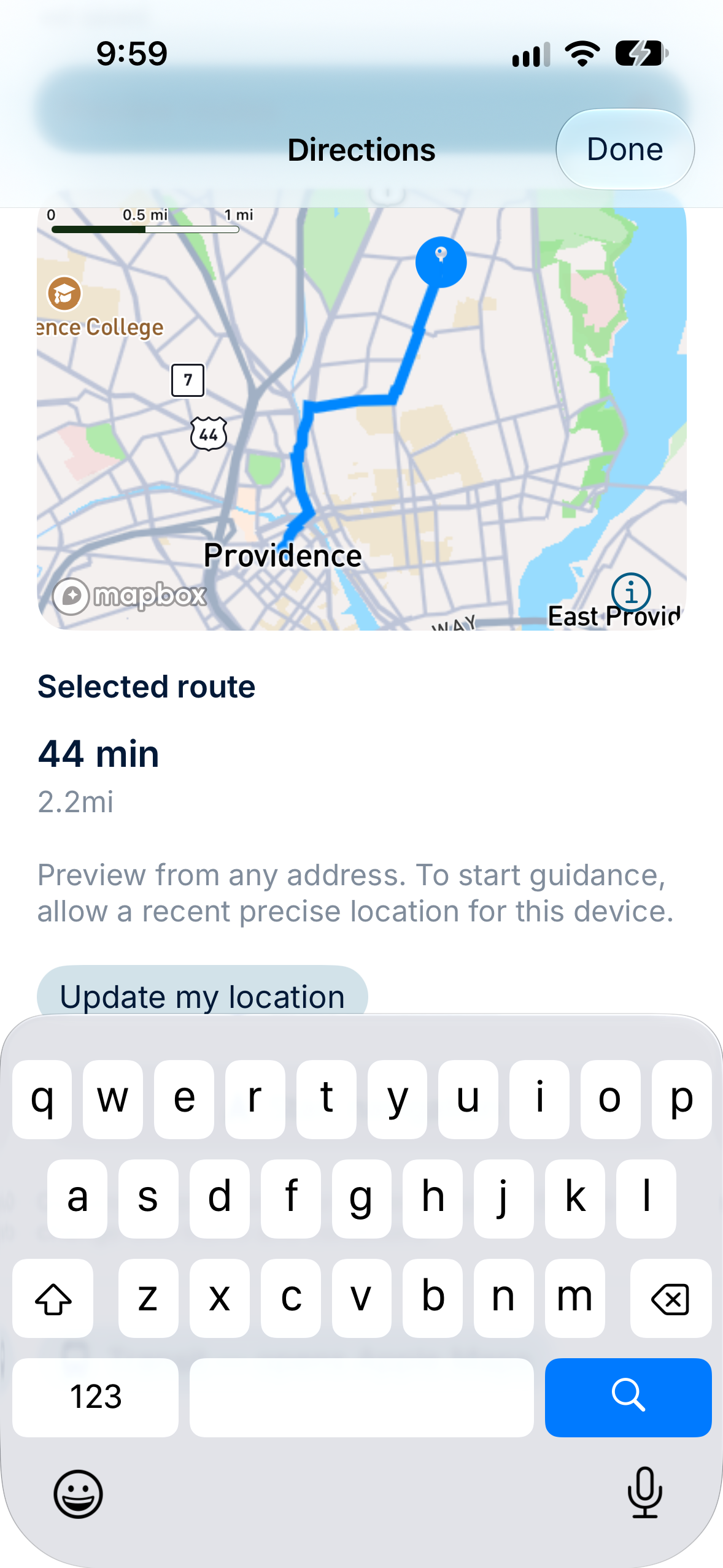
A local guide with character
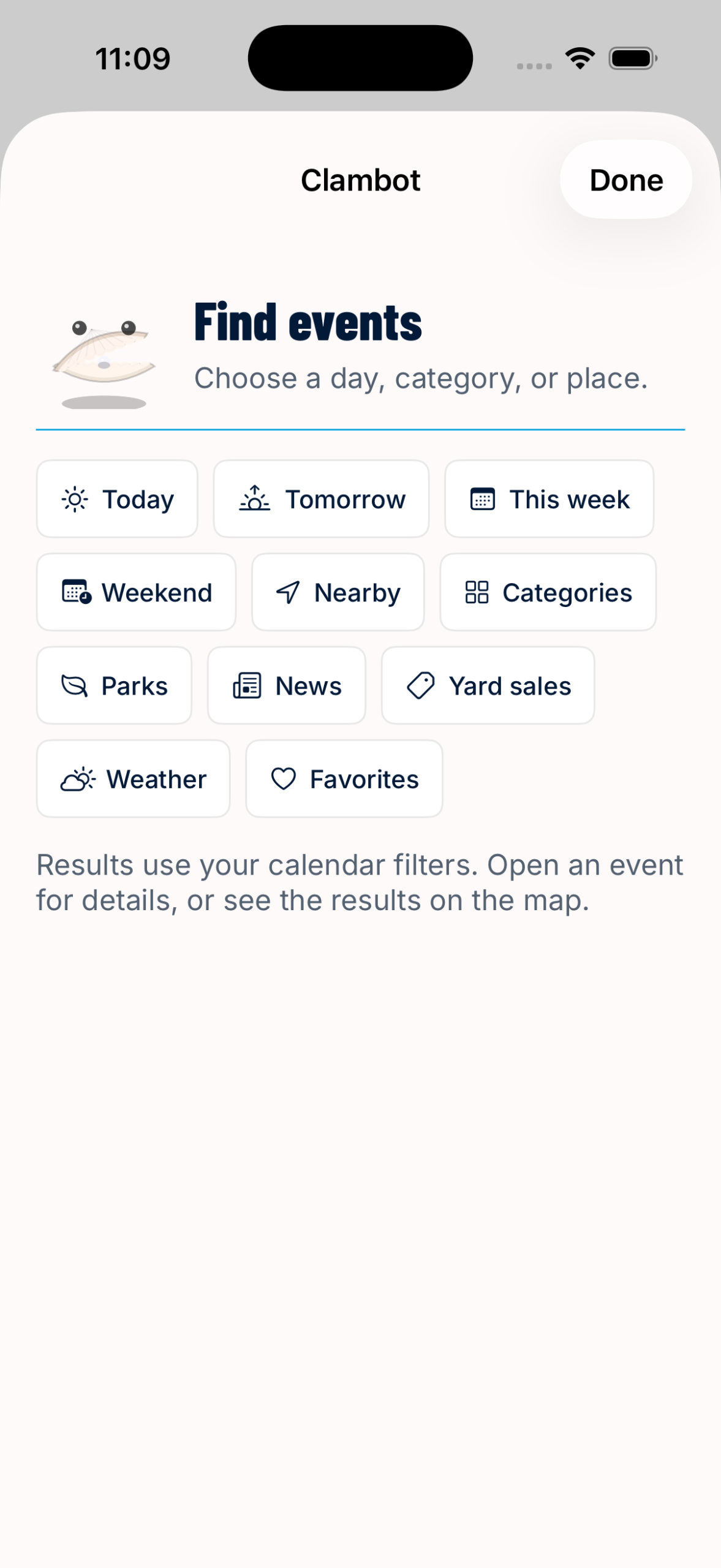
Clambot is a native animated guide with quick choices for Today, Tomorrow, Week, Weekend, Nearby, Categories, Parks, News, Yard Sales, Weather and Favorites. Each choice works with the app’s actual listings and shared filters. Results lead into the same saving, details and map tools used elsewhere.
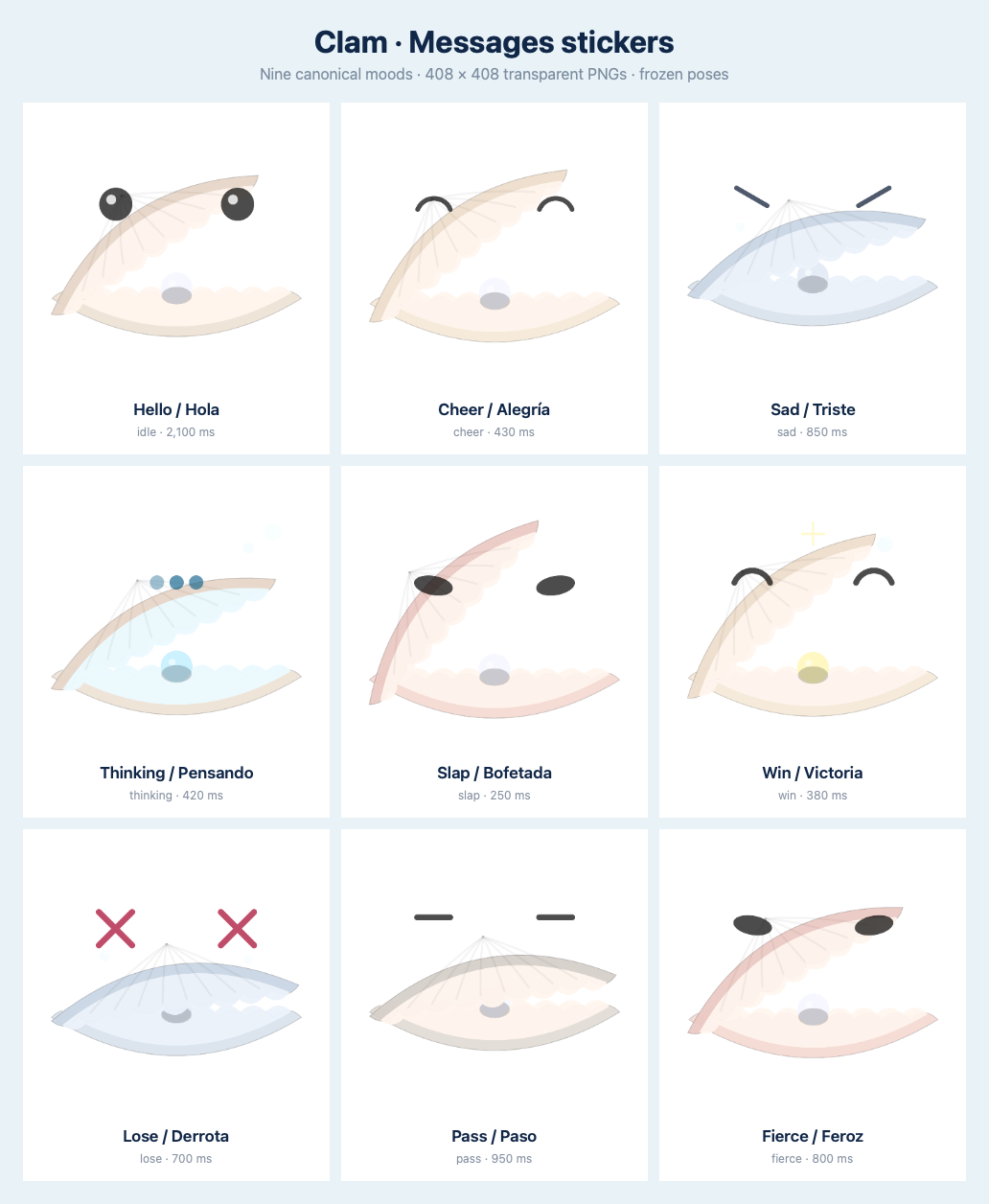
The website’s Clam character was recreated with procedural SwiftUI Canvas drawing and nine expressive moods. Animation pauses when hidden or inactive, and Reduce Motion uses a still frame. Clambot’s clear, button-driven interaction makes its capabilities visible from the start.
The character also travels into Messages through nine bundled stickers: relaxed, cheering, sad, thinking, slapping, winning, defeated, passing and fierce, with English and Spanish descriptions.
Community information, close at hand
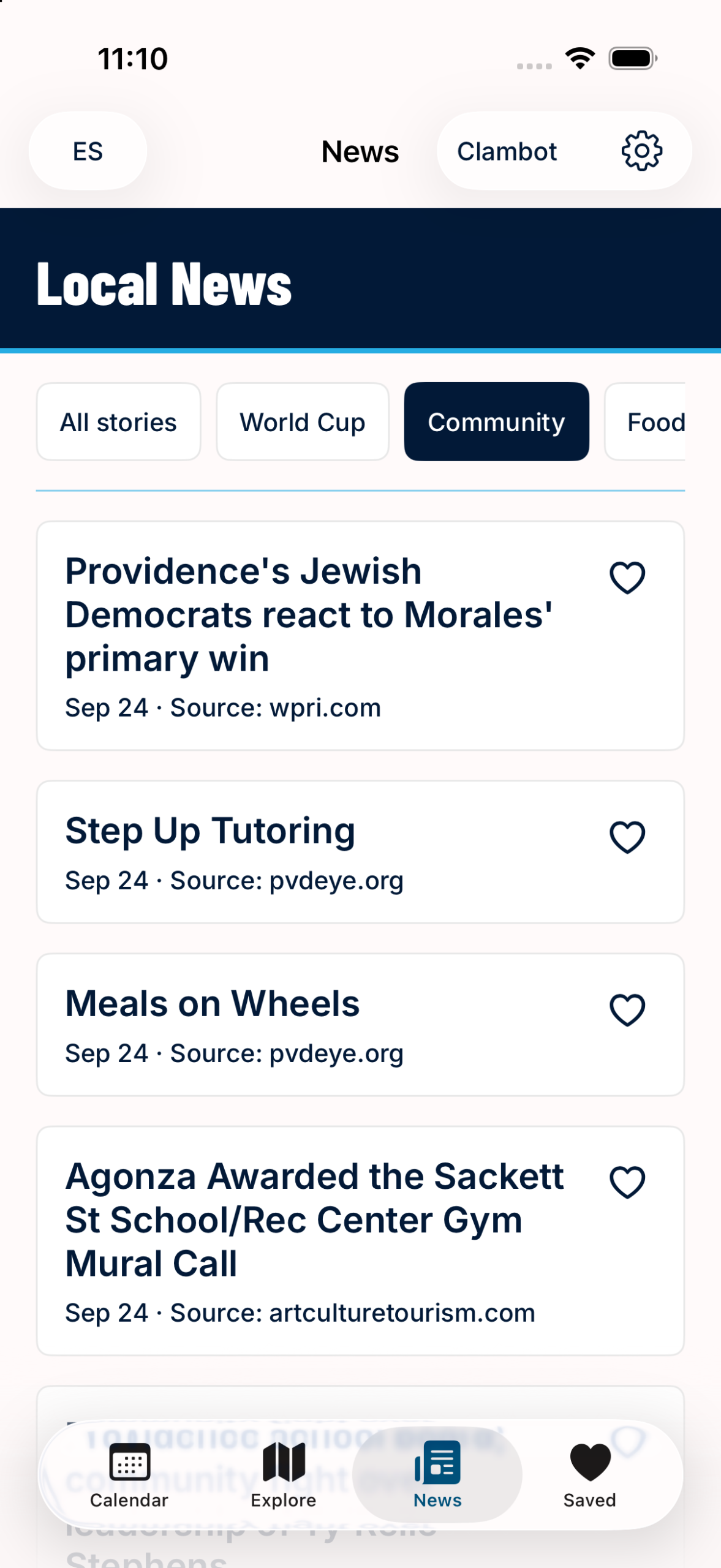
Local News combines search, topic filters and saved stories with direct links to each publisher’s article. The app presents the headline, publisher and date, then opens the original source for reading.
Event and yard-sale submission links open the website’s existing review forms. Support, privacy information, event sources and reporting tools are available within the experience. Events in Providence remains an independent community resource.
A recognizable brand, adapted to native use
The visual system carries the website’s outlined wordmark into a navy, bright-blue and warm-paper palette. Barlow Condensed ExtraBold gives headings their distinct character; Inter keeps event titles and details readable. Strong title bands, fine blue rules and simple cards establish a consistent hierarchy across the app.
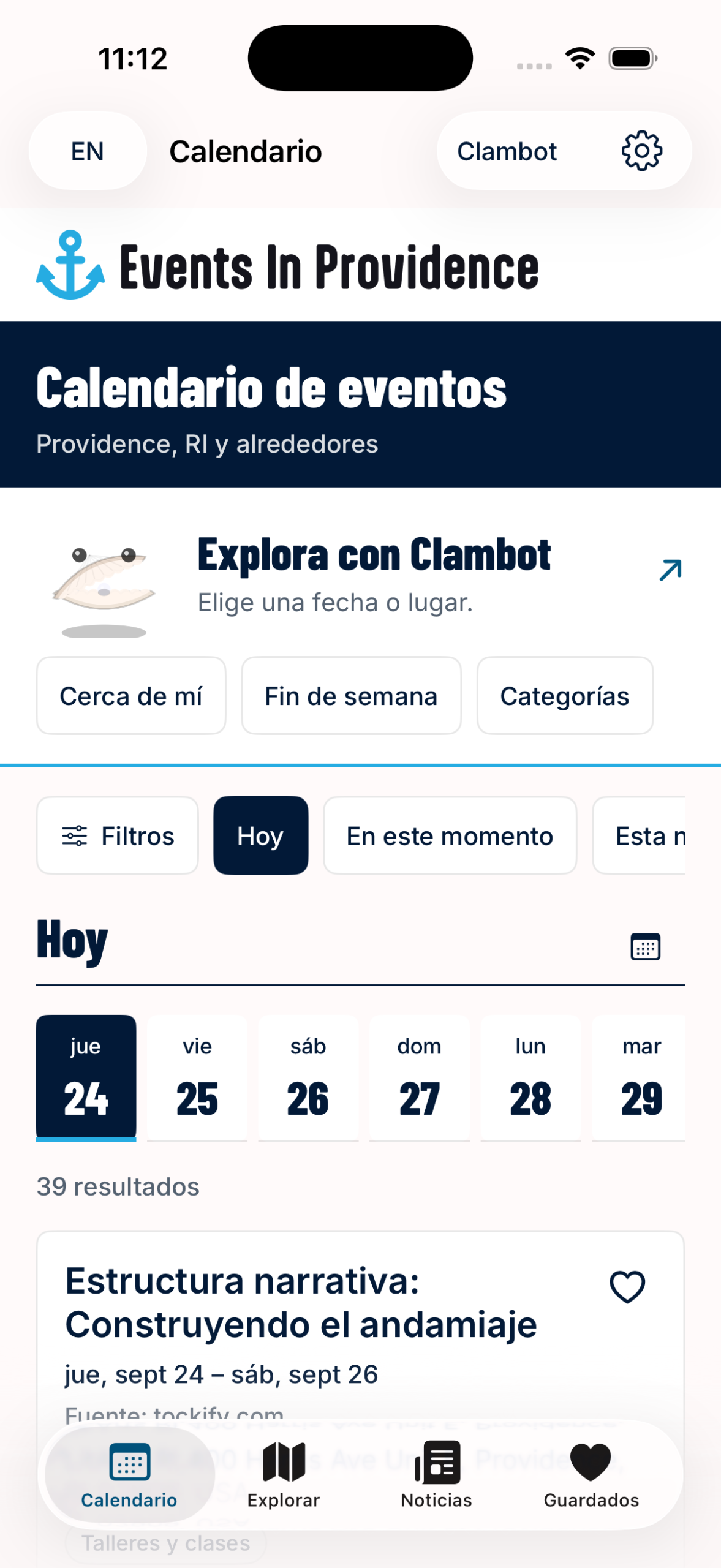
English and Spanish controls, translation fallback, an original-English option, Dynamic Type, VoiceOver descriptions, Reduce Motion, light and dark appearances, and U.S. or metric units support different preferences and needs. iPhone tabs become an iPad sidebar where space allows, with layouts that adapt to narrow windows, rotation and larger text.
English and Spanish, throughout
Language, typography and navigation are part of the core experience. Native controls and shared content models keep browsing consistent across devices and languages.
Built for different ways of reading
Dynamic Type, VoiceOver, Reduce Motion, light and dark appearances, and adaptable iPad layouts support a broad range of preferences.
Native services, connected to an existing publishing system
The app uses SwiftUI and a shared Swift model package, with a versioned WordPress REST API connecting it to the existing website. Content ingestion and editorial review remain in WordPress. Stable occurrence identifiers, change reconciliation and explicit event statuses help keep the calendar, map, saved items and reminders aligned.
ETag and disk caching reduce repeated requests and keep previously loaded content useful, with freshness and retry states when needed. Private CloudKit favorites, WeatherKit forecasts, EventKit calendar export and Mapbox maps and navigation provide native capabilities around that publishing foundation.
The result is a complete mobile extension of a community platform: discovery, planning, navigation and a familiar character working together across iPhone and iPad.
Related work: Events in Providence website and weekly newsletter.
Bring your platform to mobile with Local Robot’s mobile app development and custom development. Let’s plan your app.
